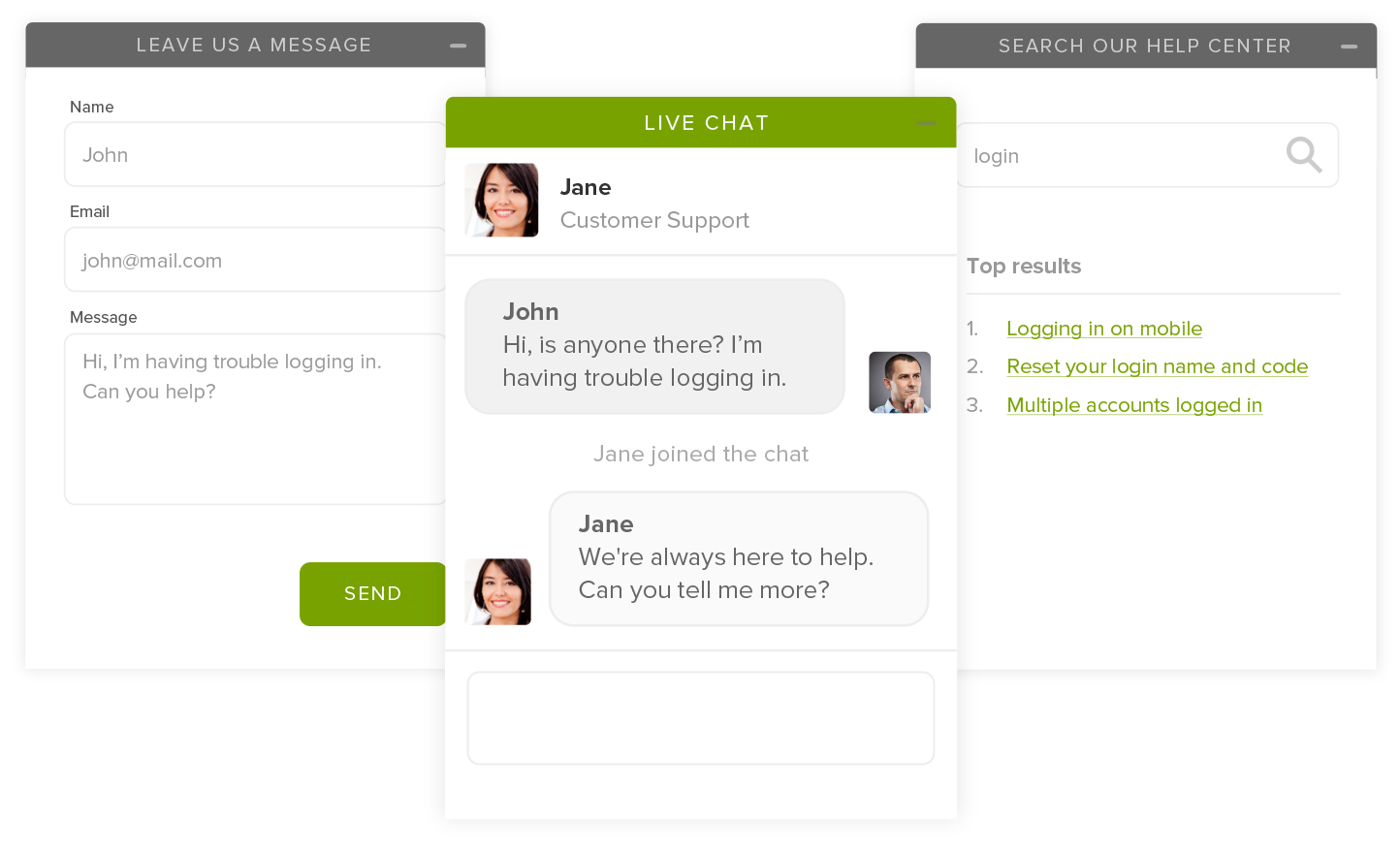
Customers expect convenience, speed, and personalization from your brand. And an effective live chat plugin for WordPress provides all three (and more) when it’s integrated within your existing systems and workflows.
But with hundreds of WordPress chat plugins, just getting started can be overwhelming. So to help you take the first steps to implement a live chat plugin, we’ll cover what WordPress chat plugins are, how and why to use them, and how to evaluate them. By the end of this page, you’ll know everything you need to get up and running with a WP live chat of your own.
WordPress live chat is like instant messaging for your WordPress site. It allows your service agents, salespeople, and any other customer-facing teams to communicate in real-time with visitors to your website. Built with a WordPress chat plugin like Zendesk Support for WordPress, live chat is a productive way to provide instant support to your users.
WordPress live chat is often—but doesn’t have to be—integrated natively or via API with other important tools such as CRMs, knowledge bases, chatbots, automation platforms, and more. You can implement live chat WordPress plugins manually with code or with a pre-built plugin that’s usually simple enough for non-developers to configure.
How do you use live chat in WordPress?
The easiest way to use live chat in WordPress is to download a plugin. Depending on the plugin you download, you may also need an account through the vendor that provides the plugin. For example, with Zendesk, you’d need to purchase—or do a free trial—of the software. Then, you could download the Zendesk WordPress plugin. From there, you’ll need to configure the chat widget, making any customizations you want to.
Once the widget is installed and configured, usually, you’ll use your live chat software’s dashboard to manage the chats that come in through your WordPress site. So if you were using the Zendesk WordPress plugin, you’d use the Zendesk suite to track, manage, and respond to live chat messages.
A comparison chart of the 15 best chat plugins for WordPress
WordPress Live Chat Software
Starting Price
Free Trial?
Features
Zendesk
$19/agent per month
14 days
Live chat web widget
Email and ticketing system
Pre-built analytics dashboards
Pre-written responses
Livechat
$15/month
Yes
Chat history
Widget customization
Ticketing system
Olark
$19/month
Yes
File sharing
Chat transfers
Visitor details
Tidio
$39/agent per month
Yes
Mobile-friendly widget
Website visitor tracking
Messenger, Instagram, and chatbot integrations
WP Social Chat
$30 one-time payment
Yes
Multiple team member accounts
Button position and layouts
Customizable colors and settings
Support Board
$59 one time payment
No
Marketing live chat
Push notifications
Mobile-friendly
Pure Chat
$49/month
Yes
Widget customization
Transcript history
Real time analytics
Formilla
$24.99/month
Yes
Mobile-friendly app
Real time visitor monitoring
International language support
3CX
$100/year
Yes
Offline message storage
Historical live chat records
Surveys and polls
WP Telegram
$44.10
No
Multiple channel support
Extendable with custom code
Customizable with filters
Facebook Chat
Free with Facebook account
Yes
Auto-replies and answers
Guest mode for anonymous messaging
Mobile-friendly
Chatra
$17/month
Yes
Real time visitor list
Email integration
Full Ecwid and Woocommerce support
HubSpot
$45/month
Yes
Live chat and chatbot integration
Automated lead capture
Quick installation and no coding
Smartsupp
$15/month
Yes
GDPR compliant
Visitor lists
Chatbot “Smarty” integration
JivoChat
$29/month
Yes
Omnichannel communication
Visitor monitoring and smart triggers
Built-in CRM
An overview of the 15 best live chat plugins for WordPress
Zendesk
LiveChat
Olark
Tidio
WP Social Chat
Support Board
Pure Chat
Formilla
3CX
WP Telegram
Facebook Chat
Chatra
HubSpot
Smartsupp
JivoChat
1. Zendesk live chat for WordPress
Any company aiming to convert more visitors into buyers, reduce support costs, and raise their CSAT scores can benefit from adding WP live chat to their service channel mix. And Zendesk is the most simple, flexible, and comprehensive way to offer WordPress live chat to your customers.
Zendesk’s live chat plugin for WordPress streamlines your service operation with smart features like action-based prompts. For instance, suppose a customer is stuck on the checkout page; Zendesk’s best live chat plugin for WordPress will prompt one of your service agents to start a chat with this customer. From there, your agent can provide the assistance the customer needs to complete their purchase.
As you can imagine, this results in higher conversions and more productive agents.
The Power of Zendesk—for WordPress
Zendesk is an excellent way for companies to offer live chat for WordPress because it includes:
Proactive chat support: Triggers in chat notify agents when a customer has met preset conditions, like time spent on a certain page. Your agents can reach out, offer support, and provide a better user experience, increasing sales as a result.
Zendesk tracks key metrics: From real-time monitoring to agent performance, so you can identify areas to improve and what tactics are working in your favor.
Uninterrupted support: Access all your customer data and conversations from one place, so it’s easier for your team to switch between channels and provide the best experiences with Zendesk.
WordPress Live Chat, Plus Much More
If you’re only looking to add live chat, Zendesk’s plugin can help. But it’s worth knowing that Zendesk’s WordPress plugin covers a lot more than just live chat. Among other things, you can use Zendesk to turn WordPress blog comments into tickets, add knowledge base articles to your site, and manage tickets from your WordPress dashboard.
Essentially, everything you need to fully integrate WordPress into your service operation is at your fingertips when you install the Zendesk WordPress plugin.
LiveChat’s plugin for WordPress is a flexible, yet powerful option for implementing live chat on your WordPress. It works with plenty of WordPress site builders, which makes it simple and intuitive to implement. LiveChat also has partnerships with major e-commerce software such as WooCommerce, BigCommerce and more. So if you’re in e-commerce, LiveChat’s WordPress Plugin could work for your site.
Use LiveChat to proactively reach out to website visitors, or use the chat box as an offline web form to collect emails for your mailing list. You can also personalize your chat boxes to match your branding, and add team member photos so customers know who they’re talking to. The live chat plugin works with any WordPress theme or template without requiring modification.
While you can download LiveChat’s WordPress plugin for free, you’ll need a paid LiveChat plan to use the plugin. Their standard plan is the Team plan which includes functionality beyond the scope of a simple live chat plugin such as ticketing. If you’d like to test the plugin out, you can by starting a free 14-day trial with LiveChat.
Olark’s live chat software is known for its elegant blend of sophistication and simplicity. Its live chat WordPress plugin is similarly intuitive yet powerful; all you have to do is install the Olark plugin on WordPress, refresh your site, and your chatbox will be ready to use. Once it’s installed, you’re free to create workflow rules, customize your chat widget, save chat transcripts, and more.
The Olark WordPress plugin live chat feature can be easily integrated with your CRM and email marketing tools. Set up automation rules to speed along conversations, and gather real time reporting on agent activity and visitor behavior. Plus, you can save full chats to your archives and reference them later to help collect even more insight on your customers.
From within your WordPress dashboard, you can also add API calls and set your Olark live chat to localize any communications to your website visitor’s local language. You can try out the Olark WordPress plugin for free but for more advanced features and no limits on your number of chats, you’ll need to opt for a paid plan from Olark.
Tidio’s free live chat for WordPress plugin is quick to install, mobile-friendly, and it provides support for email and Facebook Messenger. Plus, you can take much of the heavy lifting off of your service agents because Tidio also includes chatbots. One of Tidio’s key features is its incoming visitor notification, which enables your agents to engage visitors as soon as they arrive.
Give your widget the look and feel of your branding, and deploy it seamlessly on your website, browser, or mobile device. Plus, all conversations can be accessed from one easy-to-view panel, so agents can manage their conversations from one place. And with natural language processing, you can get a head start on understanding and fixing customer issues.
And, to help you save time, Tidio provides a no-code, drag-and-drop chatbot building and templates for common chatbot flows, such as an abandoned shopping cart. You can get access to Tidio—and most of its features—with Tidio’s free plan and plugin. But the free plan does come with fairly limited visitor counts, email volume, and chat operator seats.
Give your widget the look and feel of your branding, and deploy it seamlessly on your website, browser, or mobile device. Plus, all conversations can be accessed from one easy-to-view panel, so agents can manage their conversations from one place. And with natural language processing, you can get a head start on understanding and fixing customer issues.
WhatsApp is the most popular messaging app in the world and WP Social Chat (formerly WhatsApp Chat WP) by QuadLayers allows your customers to start a WhatsApp conversation right from your WordPress website. WP Social Chat has over 100,000 active installations, and for good reason; their paid plans equip your team with unlimited agent accounts, customizable chat widgets, and pre-set greeting messages.
With so many people already using WhatsApp for personal messaging, it only makes sense for businesses to meet them where they are. The app is GDPR compatible, and with the premium version you have the option to include multiple team members and distinguish between them, so customers don’t get overwhelmed.
Plus, you can target your website visitors with chat boxes displayed on all your pages, or just a selection. WP Social Chat’s WordPress plugin also includes a free plan though you only get one agent and there is no customization available. The paid plans range from a one-time payment of $30 to $90.
Support Board’s live chat for WordPress plugin provides a solid set of must-have features for any live chat solution, including the ability to manage and respond to chats from directly within the WordPress dashboard. What sets it apart is its extensions that connect Slack and/or Diagflow. So if you’re loyal to either of those tools and plan to use them in your live chat implementation, Support Board is worth a look.
The Support Board live chat gives businesses the freedom to reach out to website visitors and begin a conversation and guide new shoppers to the products that are right for them. You can also collect emails to create marketing lists, and set notifications to your desktop, browser, and mobile devices so you never miss an opportunity to engage.
Another unique feature of Support Board is its one-time, fee-based pricing structure. Unlike many WordPress live chat plugins—which are free with a paid monthly plan—Support Board charges a one-time fee of $59. And if you want the Diagflow, Slack, or another extension, you’ll need to pay another one-time fee between $9 and $29.
Pure Chat’s simple Live Chat plugin for WordPress can have your site equipped with a live chat widget in less than an hour. Once it’s installed, you’ll use the browser-based or mobile app version of Pure Chat to interact with your prospects and customers. The mobile apps are available on iOS or Android.
The Pure Chat plugin was designed for simplicity and transparency. Plus, with real time analytics and contact history, agents can interact with customers with more confidence and a bigger picture. Integrate with 1000+ popular business apps to share conversation insights across teams so you can capitalize quickly on the highest value leads.
And Pure Chat doubles as a lead collector because when you’re offline the chat box becomes an email form. Pure Chat offers two paid plans, Growth and Pro at $49 and $99 per month respectively, which you’ll need to purchase (or do a free trial of) to use their WordPress plugin. Both plans include all the foundational features you’d expect in a good live chat plugin for WordPress.
Pricing Plans:
Growth: $49/month Pro: $99/month
Free trial: 30 days
Free plan: Free forever up to 3 websites
Pure Chat Features
Engagement Hub
Chat notifications
CSV exports
Security roles (admin, power users, and operators)
Mobile-friendly with AI-powered chatbots, visitor monitoring, and more, Formilla is a full-featured live chat WordPress plugin that’s also available for WooCommerce users. From Formilla’s live chat app—which is available on your mobile device or browser—you can respond to and manage chats, configure your chatbots, analyze live chat performance, and more.
The moment a visitor arrives on your website, track them with real time monitoring so you can see what products or services they’re most interested in. If it looks like a visitor is waffling or unsure of where to go, use Formilla Live Chat to proactively reach out and lend a hand, just like you would in an actual store. You can also target customers by their physical location or language, and personalize chat boxes with images of agents to give customers a more personalized feel to the conversation.
To install this plugin, you’ll need to sign up for an account with Formilla. Fortunately, Formilla starts you with a 14-day free trial of their Premium plan priced at $24.99 when billed monthly, after which you’ll be downgraded to their Standard free plan if you decide not to upgrade.
Formerly called WordPress Live Chat, 3CX Live Chat is a plugin for WordPress that enables you to easily install live chat on your site for one year free. With 3CX, your chat widget and its settings are fully customizable, and if you’re a 3CX user, your chat plugin will be fully integrated with 3CX’s entire communications system.
3CX is undergoing major updates in 2022, with plans for the new plugin to include voice capability and an integrated team communication system. Users can access and pick up conversations from multiple channels from a single user interface and even begin video conferencing calls. And with mobile access for iOS and Android devices, agents can manage their conversations whether they’re at the office or working remotely.
3CX can work well for service agents, salespeople, and anyone else who needs to converse with customers via WordPress live. With no limits on your number of agents, 3CX is designed to scale with you as your team grows. After your first year with 3CX, you’ll be charged $145 per year for the Pro plan while the self-managed Standard plan is free.
Pricing Plans:
Standard (hosted): $100/year starting 2nd year Pro: $145/year starting 2nd year Enterprise: $180/year starting 2nd year
Free trial: Free for first year
Free plan: Free forever up to 10 users on self-managed site
Telegram’s end-to-end encryption is a notable feature that attracts many valuable customers to its messaging product. And WP Telegram is the live chat for WordPress plugin you need if you want to improve your ability to reach these customers. WP Telegram enables you to communicate with Telegram groups and channels automatically with a Telegram bot.
The private notifications module helps agents keep on top of conversations happening in Telegram so interactions don’t drop off or go stale. If an email sent through your WordPress site matches an email address added in the plugin, the message goes right to Telegram where it can be picked up by the team member who’s best qualified to handle it.
Perhaps the only downside is the implementation; you’ll need to follow the plugin’s instructions for creating a new bot, adding it to a group, and configuring the bot’s rules for sending content. If you have any trouble, though, you can get help with setup in WP Telegram’s public group @WPTelegramChat. Unlike other pricing models using a monthly subscription and charging per agent, WP Telegram bases its pricing models on the number of websites, with pricing for a single site starting at $44.10 and going up to $299 for 10-100 sites.
Pricing Plans:
Single site: $44.10 Up to 5 sites: $89.10 Up to 10 sites: $134.10 Up to 100 sites: $299
While it’s still behind WhatsApp in terms of global popularity, Facebook Messenger is immensely popular. And it’s the messaging app of choice in the United States. The Facebook Chat plugin enables you to extend the Facebook Messenger experience into your WordPress website. Once it’s set up, your prospects and customers can interact with your business the same way they do on Messenger.
When you’re offline, send auto-replies to the most commonly asked questions so customers don’t feel abandoned. Plus, customers can continue their conversation with you even after they’ve moved on from your website. Even customers without a Facebook account can reach out using the anonymous Guest Mode.
Even better, this live chat plugin for WordPress retains your customers’ Messenger chat history to ensure every conversation is a seamless experience for agents and customers. Speaking of seamless, your visitors don’t even have to login into Facebook to use the Messenger interface. The plugin is free and all you need is a Facebook page to make it work.
Chatra is live chat software designed for sales. It includes features that help agents close sales like group chats, full conversation histories, and distinct colors and names so salespeople can distinguish between visitors. In addition to live chat, Chatra’s paid plans include an email helpdesk, Facebook Messenger, Instagram Direct, chatbots, and more.
Using the exit-intent feature, agents can start a conversation when it looks like a website visitor is about to leave. The live typing insights feature also lets them see what visitors are going to say before they hit send, giving agents a head start on finding answers and solutions. And with conversation history, it’s easy to view past interactions so you can continue building relationships with customers without starting from square one every time.
The free plan only has live chat and its features are limited. To set up Chatra, you’ll need to create an account and install the plugin for WordPress then place the widget code on your site. From there, you’ll have access to the software through Chatra’s native interface.Users can choose to be billed annually or monthly, with the Essential plan beginning at $17 per month billed annually, or $21 on a month-to-month basis.
Pricing Plans:
$17/month per agent
Free trial: 10 days
Free plan: Free forever plan for 1 agent
Chatra Live Chat Plugin Features
Visitor information
Targeted chats/triggers
Group chats
Live typing insights
On and offline chat widget
Email helpdesk
Messenger and Instagram Direct
Form and lead capture bot
Browser dashboard
Mac and Windows desktop apps
Complete conversation history
Email chat transcripts
Starting price
$17 per agent/month
Free trial
10 days
Free plan
Free forever for 1 agent
Best for
Ecommerce, software, financial, lega, and automotive companies
HubSpot’s free WordPress live chat plugin enables you to use your WordPress site to engage visitors with chatbots and live chat, plus a whole lot more. In addition to live chat capabilities, HubSpot’s WordPress plugin gives you access to an email design editor, marketing automation, HubSpot’s free CRM, and built-in analytics.
Give website visitors 1:1 attention so you can nurture leads with a personalized touch. View a full timeline of a contact’s page views to gain insight into the products or services that interest customers most, and view past conversations with contacts to save everyone from having to repeat themselves when talking to a new rep or if a long time has passed since the last conversation.
The forms you use to engage leads via live chat sync automatically with your HubSpot CRM—assuming you’re using HubSpot’s CRM. From within WordPress, you can manage these new leads, segment them, and analyze their interaction with your website. You can get started with the HubSpot WordPress plugin for free but more advanced features will require a Starter, Professional or Enterprise version of HubSpot’s Operations Hub.
The Smartsupp Live Chat WordPress plugin combines live chat software with chatbots and advanced reporting capabilities to help you take your service operation to the next level. You can get started and download the plugin for free with Smartsupp’s free plan but you’ll need a paid plan to remove limits on the number of chatbots and reporting capabilities.
Using advanced real-time monitoring, the Smartsupp Live Chat plugin lets you see how visitors move around your site, giving you more insight into your most popular offerings. Reach out with proactive messages to customers who just need a final nudge to purchase by offering a promotional code or other enticing offer, and view video recordings of web traffic to see if your site needs any optimization to help customers navigate your shop.
Smartsupp has a mobile app compatible with Android or iOS devices as well as support for seven languages including English, Spanish, German, Polish, French, Czech, and Italian. And you can connect Smartsupp WP live chat to your Facebook page to provide a seamless multi-channel experience. Smartsupp has a huge range when it comes to pricing, with the Standard Plan for freelancers and personal websites starting at $15 per month and the tailor-made Ultimate Plan starting from $2,000 a year.
JivoChat is a live chat plugin for WordPress and so much more. In addition to live chat, JivoChat enables you to converse with your customers on the phone, over email, and through social media. Its implementation and design are customizable so you can adjust it to your messaging strategy and brand identity. Also, JivoChat provides its own native CRM and allows you to connect a CRM if you already have one.
Keep all conversations in one place so agents don’t have to search through multiple channels to dig up old interactions. Transfer chats to agents who are better suited for a particular conversation, or open up chats to additional reps when more brain power is needed to answer questions or solve tough problems. You can also track visitor movement in real time on your website and use live chat to engage proactively, before the customer has a chance to become distracted and leave your shop. Widgets are customizable by style, position, customer behavior, and more to give businesses full control over their live chat branding.
JivoChat’s live chat features include all the basics, such as canned responses and offline messages, and many advanced capabilities, like multi-agent chats and a built-in CRM. When you sign up for JivoChat, you’ll be enrolled in a 14-day free trial of a paid plan. If you decide not to upgrade, you’ll be downgraded after 15 days to their free plan with limited features.
Pricing Plans:
Professional: $19/month
Free trial: 14 days
Free plan: Basic version free up to 5 agents
JivoChat Live Chat Plugin Features
Visitor tracking
Built-in CRM
Chatbot connections
Unlimited chat history
Chat transfer
Canned responses
Smart triggers
GDPR compliance
Automatic translator
Geo IP-based behaviors
Offline messages
Omnichannel
Starting price
$19/month per agent billed annually
Free trial
14 days
Free plan
Free up to 5 agents
Best for
Ecommerce, institutional websites, blogs, real estate companies, schools
Customizable chat box
Yes
Chat history
Yes
Free conversations per month
Unlimited
Why use WordPress chat plugins?
WordPress is one of the most popular content management systems in the world. And a big reason for that is the powerful yet easy-to-use extensibility provided by WordPress plugins. The best live chat for WordPress is no exception; many brands use WordPress chat plugins for the following powerful benefits:
Instant support
When we asked participants what the top factor in a good customer experience was, quick resolution time came out on top. This isn’t surprising, but the point is that a WordPress chat plugin is often the most feasible way to provide the kind of instant support that customers demand. Businesses that use WordPress can invest in a WordPress live chat plugin and send their first chat messages directly from their site within a day.
Elevate customer satisfaction
When you provide support on time, customers will respond and your CSAT score will rise. Of course, providing quick support is one thing; providing it at scale is another entirely. And that’s where WordPress live chat plugins really shine. Because you can integrate your plugin with other tools, such as chatbots, you can leverage automation, AI, and machine learning to handle simpler customer queries and save your agents’ time for more complicated issues.
Increase conversion rates
Be there for your customers before they even ask. If a customer gets stuck on a page for a long time, WordPress for live chat will prompt a support agent to proactively start a chat within your website. From there, the agent can offer the customer assistance and help answer any questions they have before making their purchase. This allows agents and salespeople to be more targeted and relevant in their outreach which helps to increase conversion rates.
Increase the value of your customers
Compared to those who don’t, customers that chat with a brand are three times more likely to convert. That same group of customers also typically buys more—on average, their cart value is 10 to 15 percent higher. In this way, WordPress live chat plugins can increase your customer’s lifetime value meaning your company creates more value with each customer. By extension, your agents become more valuable too since they can spend their time on only the most relevant prospects.
What are the features that you need from your WordPress chat plugin?
Convenient interface
The interface through which your agents chat with customers will significantly influence the quality of the chat experience for everyone. With WordPress chat plugins, you’ll encounter two types of interfaces; native and third-party dashboards. Native dashboards exist within your WordPress dashboard while third-party dashboards exist within live chat apps hosted by your live chat software provider.
Typically, third-party dashboards are more flexible and sophisticated. But how convenient they are for your agents comes down to personal preference and existing workflow. Make sure to solicit your agents’ opinions on the convenience of any WordPress chat plugin you choose.
Automation
Live chat is a unique experience that many customers prefer over other channels like phone or email. But the secret of what makes live chat so valuable for businesses isn’t just that your customer’s like it. Rather, it’s the fact that with automation rules for simple queries, your WordPress chat plugin can resolve a large proportion of customer questions on its own.
Automation makes live chat even more valuable for businesses because it enables organizations to provide cost-efficient service in a channel that customers already prefer.
Reporting and analytics
Some level of reporting and analytics is a must-have for your live chat plugin for WordPress. Not only does reporting allow your managers to provide data-driven feedback for your agents, but it also provides transparency for the rest of the business. This is critical when you’re trying to determine where and how much resources you should be investing in your business.
In fact, more advanced analytics systems can even provide data regarding customer sentiment which can help guide product development, sales, marketing, and service decisions.
Self-service options
Self-service options like knowledge bases are a vital complement to live chat. Like automation rules, self-service helps your customers find answers to frequently asked questions which saves your agents for the customer who really needs them. Plus, even when your live chat is offline after working hours, your customers always have a place they can go to resolve their issues.
How to choose the best WordPress chat plugin?
Only someone who knows your organization, workflow, existing systems, and future growth plans can accurately say which of the best chat plugins for WordPress is right for you. And no one has the time to try more than—at most—a few different plugins. So to improve your chances of choosing the best WordPress chat plugin for you, we recommend using the following as your main criteria:
Effectiveness of integration with WordPress and other systems
It’s highly unlikely your WordPress chat plugin will be the only component of your sales, service, and/or marketing operations. Other systems, such as CRMs, customer analytics software, and so much more, will need to exchange data with your WordPress chat plugin. So before you make a decision, make sure your plugin has easy and effective integrations with your existing systems.
Current and future feature/cost fit
It’s all too common to choose a WordPress chat plugin that costs more because of features that you don’t need. But at the same time, your business will likely look far different in the not-too-distant future. So finding a chat plugin that can fit your current needs and budget as well as scale up when you need it to, is critical.
Agent and customer experience
The best live chat plugin for WordPress is the one your agents and customers love to use. After all, the quality of both their experiences will dictate the satisfaction and value of your customers. So if possible, make sure your agents have a chance to use whichever plugin you choose before you commit to any long-term contracts. Also, take the time to test the software from the customer’s side whether through user testing or by walking through the software yourself.
Frequently asked questions
The default implementation of WordPress doesn’t have live chat, which is why you’ll need to download a live chat plugin or manually add the code for a live chat widget.
If you decide to manually copy a live chat script rather than use a plugin, you’ll need to put the live chat script into the footer of your WordPress page. To do this, you’ll need the help of a developer unless you have a plugin like Header and Footer Scripts, which enables non-developers to access the header and footer of their WordPress websites.
The number of active agents you can have at one time with WP live chat depends on the live chat software you’re using. For example, on the Support Team with Zendesk’s WordPress live chat, you’ll be billed $19 per agent per month with no limit on users.
The amount of money you’re willing to spend on a WordPress live chat plugin should be a small fraction of the value the plugin adds for your business. More specifically, unless you’re purchasing a standalone WordPress live chat plugin, it should be free. For example, once you purchase a plan from Zendesk, you can download the Zendesk WordPress plugin for free.
Try WordPress live chat for free
Companies looking to improve conversion rates and turn more visitors into buyers, as well as companies looking to reduce support costs while improving CSAT should consider WordPress live chat as a support channel. And given that it's the best chat plugin for WordPress, you’d be well advised to start with a free trial of Zendesk.