Import Help Desk Migration
Use our Zendesk migration tool to transfer data from any help desk software
호환:
Support
About this app
Help Desk Migration by Relokia offers professional Zendesk migration services: importing data into Zendesk, exporting it to another platform, merging multiple Zendesk accounts, or splitting one account into separate instances – all with zero downtime and no coding. Whether you are moving from a legacy system, consolidating accounts after an acquisition, the automated Migration Wizard transfers your support records with all relationships preserved.
New features: – Advanced data filtering for consolidating Zendesk accounts or migrating from other platforms. Filter tickets by subject, group, channel, status, priority, brand, form, etc.
AI-ready migration scenario for AI-ready help desk data migration
Which Zendesk Migration Service fits your needs?
Our data migration tool offers a full range of migration services:
DIY Migration for Zendesk – A no-code, self-service Help Desk Migration Wizard that lets companies run their Zendesk migration independently – moving historical support data into Zendesk without disrupting daily operations.
Migration Professional Services – Expert-led services for large and complex Zendesk migration projects. Our migration professionals handle custom scenarios, advanced configurations, and complex data requirements to help ensure a smooth, accurate transition to Zendesk.
How do I import data to Zendesk?
Help Desk Migration lets you import data to Zendesk from 100+ platforms or CSV files — no coding required. Migrate tickets, contacts, companies, attachments, custom fields, and knowledge base content while preserving data relationships. Supported platforms include Freshdesk, Intercom, HubSpot, Salesforce, Jira Service Management, ServiceNow, and more.
How do I export data from Zendesk?
Connect Zendesk as your source, select the records you need, and export them to another platform. Filter tickets and migrate contacts, attachments, custom fields, side conversations, call recordings, and knowledge base content—no coding required.
How do I merge or split Zendesk accounts?
Help Desk Migration lets you merge multiple Zendesk accounts into one or split a single account by business unit, department, or brand while preserving your data structure and relationships.
What types of data can you import to Zendesk?
With our Zendesk migration tool, you can migrate tickets, contacts, users, companies, attachments, notes, tags, custom fields, side conversations, call recordings, and your entire knowledge base. Migrating macros and triggers is also available for some platforms.
Need help planning your Zendesk import? Contact our team.
Why Migrate with Help Desk Migration Instead of Native Importers?
The native data importer is the right tool for seeding your account structure – it imports users, organizations, and custom objects from a CSV. It does not import tickets, comments, attachments, or knowledge base articles; those require the Ticket Import API and developer work.
Help Desk Migration automates the full data set – tickets with comment threads, attachments, notes, custom fields, side conversations, and your entire knowledge base – with relationships preserved and no coding. Run a free Demo Migration to see exactly how your records map before any Full Migration.
Help Desk Migration enables the transfer of your full support history and operations beyond what the native importer offers:
Full data relationships preserved – Tickets, contacts, organizations, and knowledge base articles migrate together, with all their connections intact – not as isolated records you have to relink manually.
Migrate from 100+ platforms, not just CSV – Import directly from Freshdesk, Salesforce, Intercom, and other systems, without manually exporting and reformatting data first.
Automated field mapping – About 95% of fields are mapped for you automatically, instead of manually matching every column yourself.
Attachments, images, and call recordings included – Inline images convert automatically into attachments, and call recordings transfer intact – the native importer doesn't handle either.
Test before you commit – Run a free Demo Migration with real sample records to see exactly how your data will look before running a Full Migration. The native importer offers no preview step.
Zero downtime, scheduled around your business – Use Interval Migration to import around business hours, and Delta Migration to catch any new records after your test run – no manual re-uploading required.
Enterprise-grade security and compliance – Migrations are handled with top-tier security standards, including options for private cloud hosting for companies with data residency requirements.
The native importer moves data. Help Desk Migration moves your entire support operation – accurately, securely, and without the manual cleanup. – Map ticket, contact, organization, and article fields while preserving relationships. Match agents and assign a default agent to handle data from inactive users.
Automated Options & Customizations
Advanced customizations – Request tailored adjustments to a default help desk migration to ensure a smooth migration.
Migrate inline images as attachments – Inline images convert automatically into ticket attachments, with quality fully preserved.
Add tags to migrated tickets – Automatically tag every migrated ticket for easier organization and faster search.
Filter your data – Narrow your migration by Subject, Group, Channel, Status, Priority, Brand, Form, creation date, tags, or custom fields, so you move only the records you need.
Update cross-links between articles – Internal links between knowledge base articles are automatically updated, so nothing breaks after migration.
Need something beyond these defaults? Our team offers custom development and advanced customizations to tailor your migration to more specific requirements.
Delta Migration – After your Full Migration, automatically capture any tickets or records that were created or updated in the meantime, so nothing gets left behind between your test and your final cutover.
Interval Migration – Schedule your Zendesk import to run around business hours, minimizing disruption to your live support operations. Pause the migration up to 5 times, with each pause lasting up to 5 days, giving you full control over timing without restarting the process.
Import data to Zendesk from leading platforms
Gmail * Outlook * Freshdesk * Freshservice * HubSpot Service Hub * Intercom * Jira Service Management * Kayako * Dynamic 365 * ServiceNow * Deskpro * Gorgias * HappyFox * Kustomer * LiveAgent * ManageEngine * Zoho Desk * Salesforce Service Cloud * SolarWinds * SysAid * Dixa * Halo Service Solutions * Groove and across 100+ platforms. 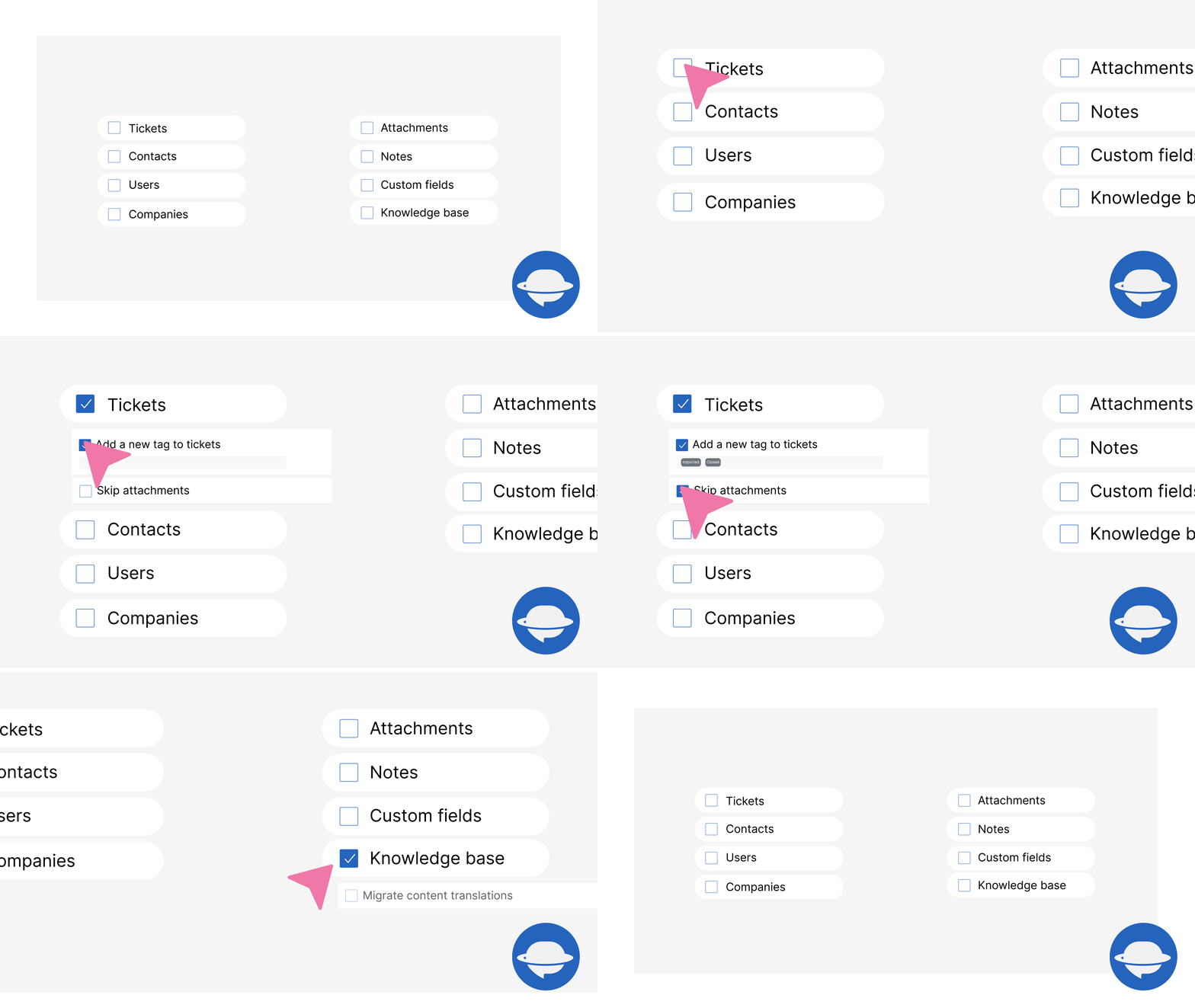
How to secure your Zendesk tickets import?
Using our Zendesk migration tool, your data stays safe from start to finish. We meet global security standards with features like HIPAA compliance, AWS infrastructure, SOC 2 Type II, SOC3, 2FA, RBAC, and encrypted data processing.


앱 세부 정보
설치 방법
- Register an account
Select your current platform and connect it to Migration Wizard
Select Zendesk as your Target and log in to connect to Migration Wizard
Select data objects you want to migrate and map record fields
Run a free trial by starting your Demo - during the test migration, the Zendesk importer migrates a small amount of data (20 tickets and all related data + 20 KB articles)
- Check Demo migration results. Like the results? Pay for your migration and start your Full Data Migration anytime Get started with Zendesk import today!
리뷰 남기기
Zendesk 커뮤니티에 나의 경험을 공유해 보세요