Tickler
Track tasks with checklists within tickets. Share, reuse, automate.
설치
100+
호환:
Support
개발자
Lovestock & Leaf
About this app
Checklists in Zendesk tickets, with workflow
Tickler brings structured checklists directly into your Zendesk tickets, so your team always knows what needs to be done and what’s already been handled.
Whether you're onboarding a customer, managing an escalation, or handling day-to-day support work, Tickler keeps tasks visible and part of your normal workflow. No spreadsheets or side docs.
Use checklists your way
Create checklists on the fly, reuse templates, or trigger them automatically based on ticket conditions.
- Ad-hoc lists for one-off tasks
- Saved lists (templates) for repeatable workflows
- Automatic lists based on tags or field values
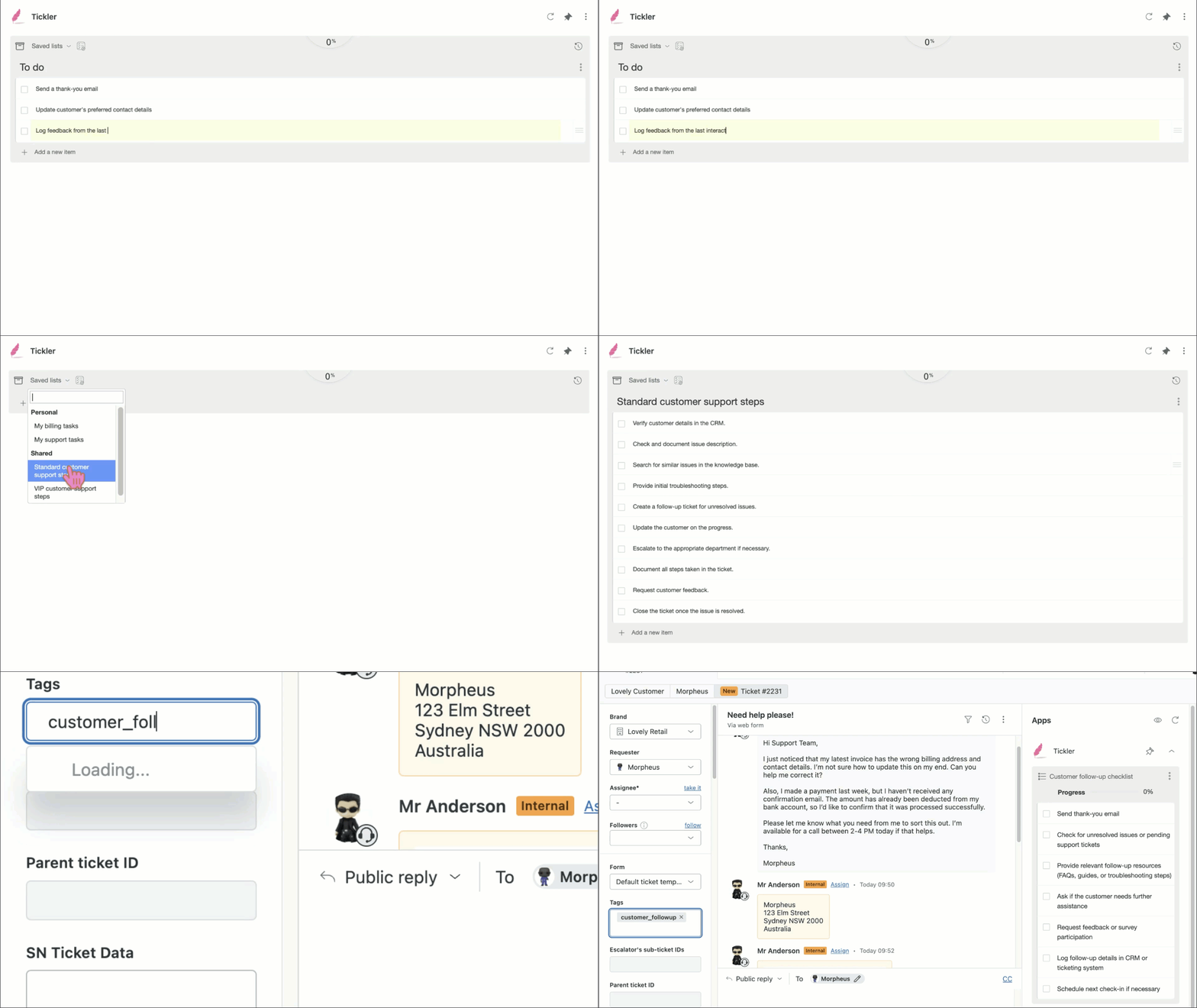
You can run multiple checklists on a single ticket when needed.
Track tasks and keep work moving
- Mark tasks as Done, Pending, or Skipped
Add comments to individual tasks
Reorder and update tasks as work evolves
Track progress with a clear visual indicator
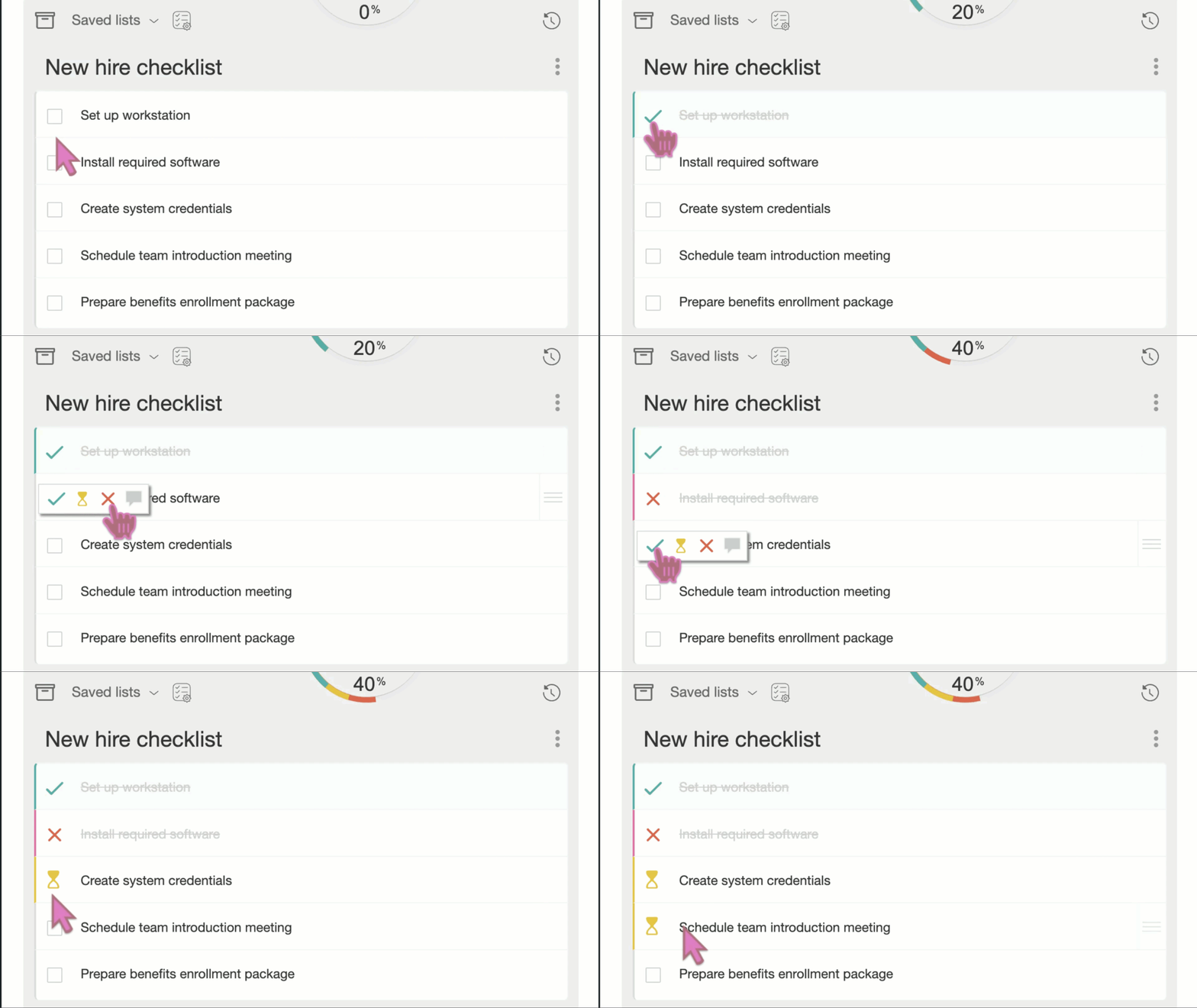
Everything is saved with the ticket.
Turn checklists into actions
Update ticket, user, or organization fields automatically
Apply macros or manage tags when tasks are completed
Trigger actions per task or when the checklist is complete
Add updates directly into ticket comments
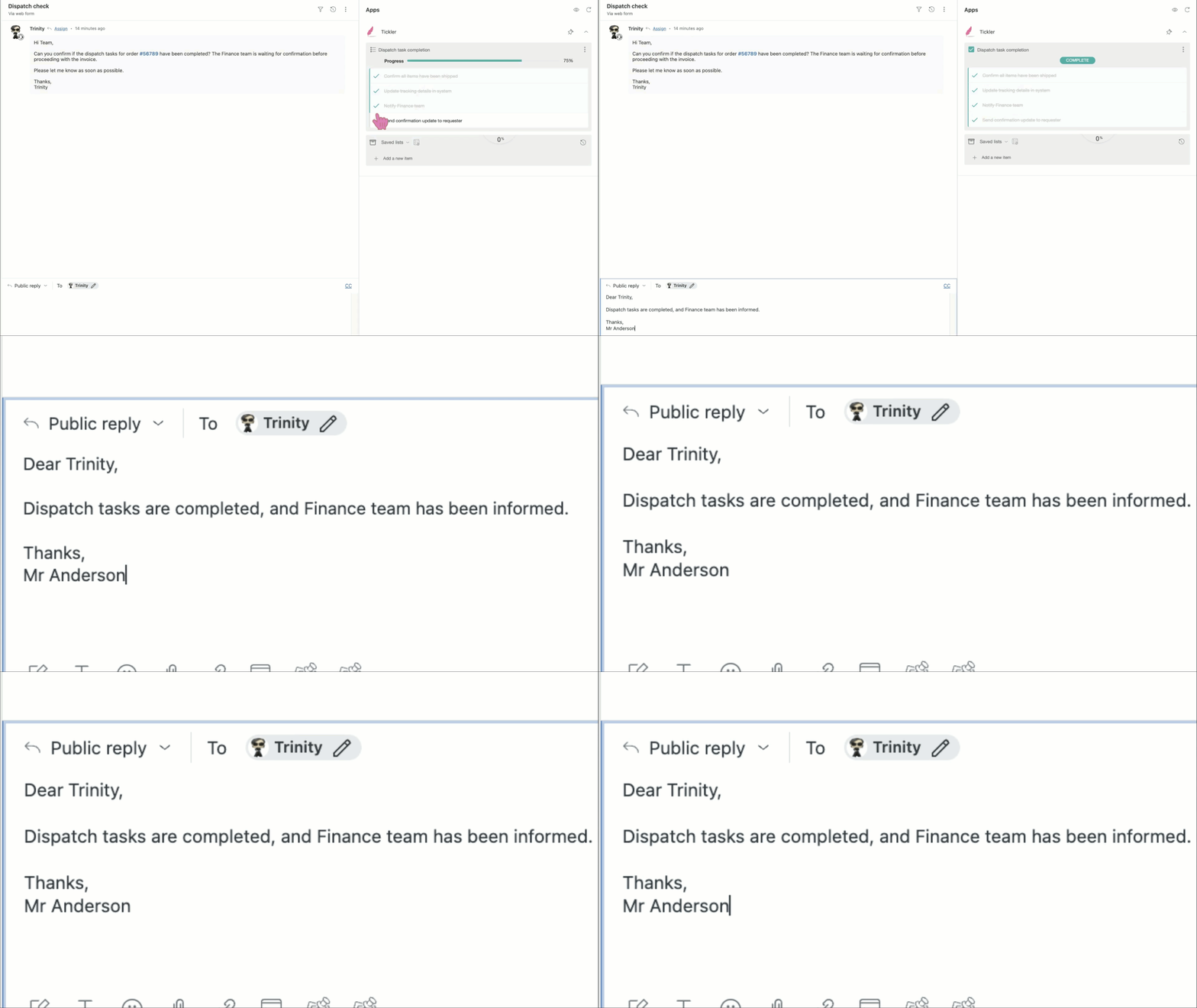
Keep work consistent
Prevent tickets from being solved until tasks are complete
Use shared templates to standardize processes
View full activity history for visibility and handovers
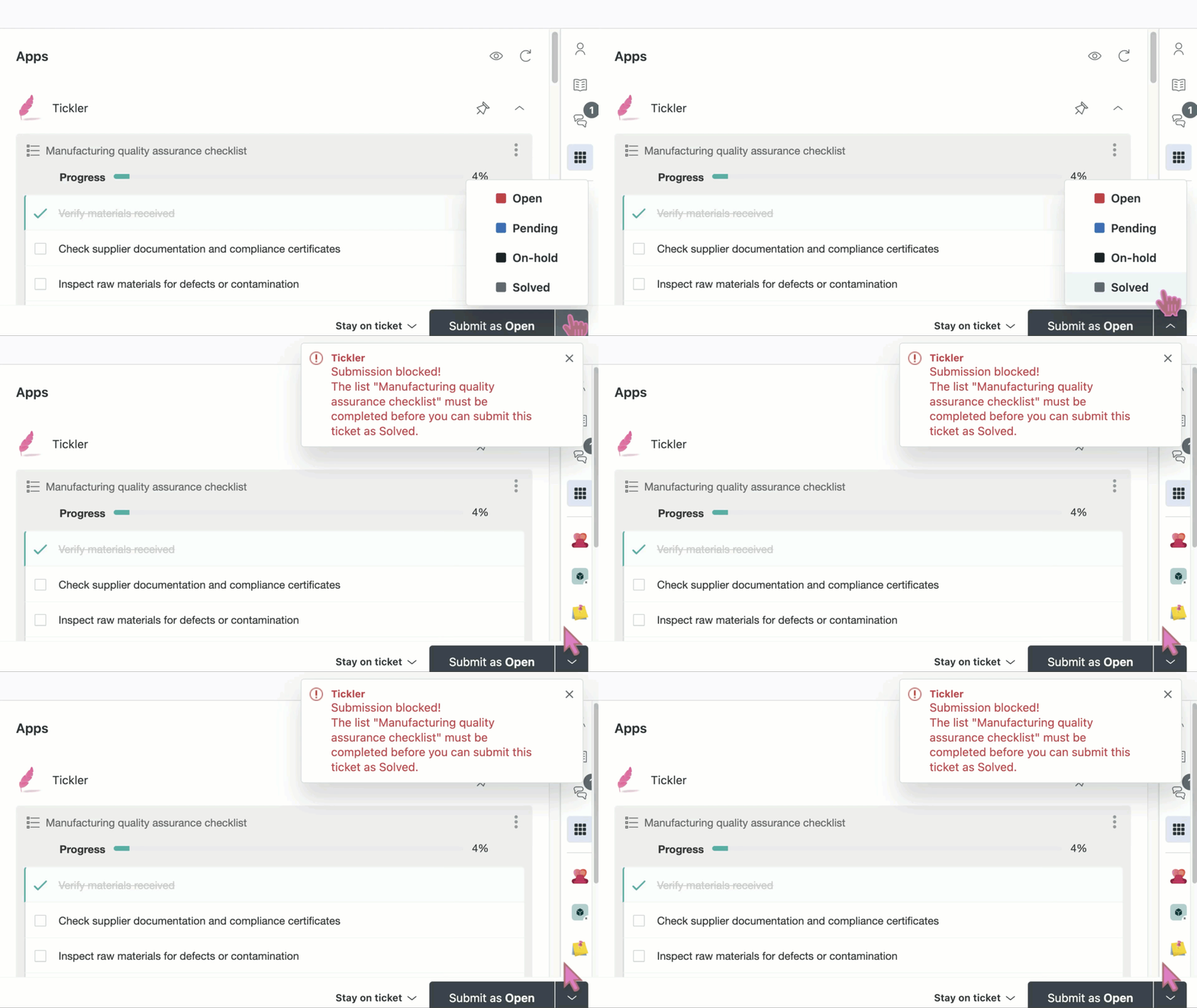
Make progress visible
Export checklist progress into Zendesk ticket fields
Use progress in views, triggers, and notifications
Built for real support teams
Use Tickler to standardize onboarding, manage escalations, handle multi-step requests, and keep teams aligned on what’s done and what’s next.
Advanced configuration
Tickler supports YAML or JSON configuration for more complex workflows.
Trigger lists using tags, fields, or combinations
Customize formatting and behavior
Control statuses and permissions
Getting started
Tickler works directly in the Zendesk ticket sidebar and is quick to set up.
For full setup and configuration, see the Tickler user guide.
About Lovestock & Leaf
Tickler is built by Lovestock & Leaf, creators of Zendesk apps designed to improve how support teams work.
Questions? Contact support@lovestockleaf.com.
Privacy policy
Your privacy is important to us.
Lovestock & Leaf apps do not transfer or store sensitive Zendesk data outside of Zendesk. All data is processed through Zendesk’s APIs and remains within your Zendesk environment.
We are committed to transparency about how our apps handle Zendesk data.
For full details, please review our company privacy policy and Zendesk API data privacy handling notice: https://www.lovestockleaf.com/privacy
앱 세부 정보
설치 방법
Tickler 3 supports both automatic tag-based lists from earlier versions of Tickler PRO, as well as ad-hoc and saved lists from Tickler FREE and Tickler PLUS. This means Tickler now includes the functionality of all previous versions of Tickler within a single app.
Overview
The installation process can vary depending on what features you plan on using and whether or not you're migrating from another version of Tickler. Because of that, we've only provided a quick overview of the installation process here. You can find detailed instructions and a full explanation of all settings in the user guide.
Installation process
Installation typically requires the following steps:
Create ticket and user fields to store Tickler data.
- Install the app:
Enter the field ids/key from the first step into the app settings
Configure other app settings and features.
Install the free companion app, Lovely.
Use Lovely to set up automatic/tag-based lists.
Set up shared ad-hoc lists from within the app, in the ticket sidebar.
Validate and test the settings to ensure the app is working correctly and doing what you need.
Have questions or need help?
If you run into a road block, encounter a bug or just have questions, feel free to submit a ticket.
Lovestock & Leaf also provides configuration services for all of our apps. To request a consultation, fill out this form or give us a call at 1300 40 88 70 during local business hours (Melbourne, Australia).
리뷰 남기기
Zendesk 커뮤니티에 나의 경험을 공유해 보세요