Flexivity AI
AI agent assist that learns your tickets and builds your knowledge base.
호환:
Support
개발자
Flexivity AI
About this app
Flexivity is AI agent assist for Zendesk that helps your team triage, draft, summarize, and learn from every ticket. Trained on your team's history, with transparent confidence scores and full agent control over every response.
See Flexivity in action (2-min demo) →
What Flexivity does for your team
- Triages tickets the moment they arrive. Auto-classifies incoming tickets using categories learned from your team's ticket history.
- Drafts replies in seconds. Suggests responses based on similar past tickets and relevant knowledge base articles, with reference links — no manual searching required.
- Summarizes long ticket threads. Surfaces key facts, decisions, and current sentiment so any agent can pick up where another left off.
- Builds your knowledge base. Spots the questions your team keeps getting and drafts the articles that would deflect them.
Why Flexivity
Many AI tools for customer support don't even leverage your historical data. Flexivity is different: trained on several months of your existing ticket history before day one, with the transparency that lets agents stay in control of every decision. Every suggestion comes with a confidence score, and agents can always edit, replace, or write their own response.
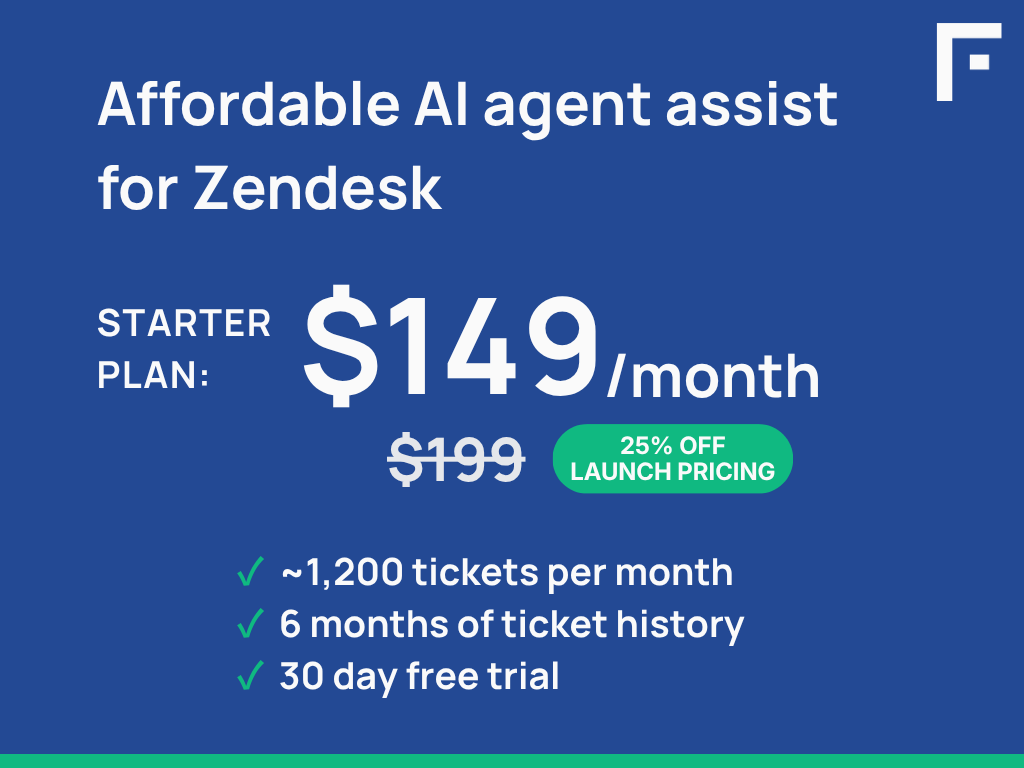
Affordable token-based pricing scales with your ticket volume — so cost stays aligned with value. Also, all editions include all available features, you choose what to use.
Data and privacy
Your customer data stays yours. Personal information is redacted before processing, your data is never used to train third-party AI models, and everything is encrypted in transit and at rest.
For the full data access and handling disclosure, see docs.flexivity.ai/data-disclosures/zendesk. For the broader privacy policy, see docs.flexivity.ai/legal/privacy-policy.
앱 세부 정보
설치 방법
- Click Install and follow the prompts to accept the default values.
- Open any ticket in Zendesk Support. Open the Flexivity AI app in the right sidebar — click Sign up or log in to start your free trial at Flexivity.
Log into Flexivity and follow the quickstart guide to connect your Zendesk subdomain.
Refresh Zendesk — Flexivity AI summaries, recommendations, and classifications will appear automatically on every ticket.
Need help? Contact support@flexivity.ai or visit https://docs.flexivity.ai.
리뷰 남기기
Zendesk 커뮤니티에 나의 경험을 공유해 보세요